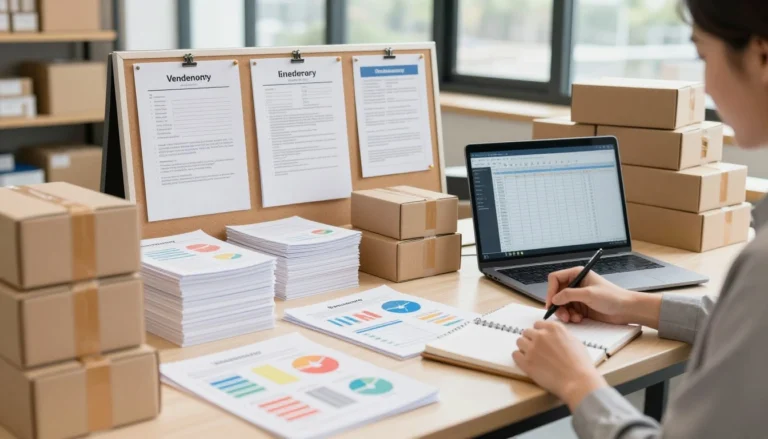

When order volumes scale, manual packing processes quickly become a massive operational bottleneck.
Every time a customer buys an item from your store, a countdown starts. You have a limited window to pick the item, pack it securely, attach a shipping label, and hand the package over to a courier.
If you run a growing retail operation—take a home goods brand like Diyan Retail, for example—dispatching ten items a day is simple enough. But what happens during a holiday rush when you suddenly have 300 boxes of decor, kitchenware, or textiles waiting by the door? The fulfillment process usually breaks down right at the dispatch desk. The main chokepoint is almost always the shipping label.
Marketplaces like Flipkart and Meesho generate labels in bulk PDF formats made for standard A4 desktop printers. If you bought a 4×6 thermal printer to speed up your packing line, those A4 files are completely useless without formatting. This guide explains how to fix your label workflow and stop wasting hours on basic dispatch admin.
The Reality of the “A4 Problem”
Most new sellers start with a standard laser or inkjet printer. You download the PDF from your seller dashboard, print it on A4 paper, grab a pair of scissors, cut out the shipping block, and tape it to the cardboard box.
This manual method fails at scale for three specific reasons:
- It drains your budget: Inkjet cartridges are expensive, and covering a paper label entirely in clear packing tape adds hidden costs to every single order.
- It destroys productivity: Cutting and taping takes about a minute per package. If you have 100 orders, you just lost over an hour and a half doing arts and crafts instead of running your business.
- It causes delivery failures: Taped-on paper wrinkles easily. When a label wrinkles or the tape causes glare, the courier’s scanner cannot read the barcode. The package gets thrown into a manual processing bin, delaying delivery and increasing the risk of loss.
The obvious fix is buying a thermal label printer. Thermal printers use heat to react with specially treated 4×6 inch (100x150mm) sticker rolls. They require zero ink and print a smudge-proof label instantly. However, buying the hardware only solves half the problem.
Trying to manually format A4 marketplace exports for a thermal printer steals hours from your working day.
The Formatting Trap
You plug in your new thermal printer, download your daily batch of 150 orders from the marketplace, and hit print. Instead of perfect labels, the printer spits out a string of tiny, unreadable barcodes, or it prints one giant A4 page across three separate 4×6 stickers.
The marketplace software output an A4 document, and your thermal printer does not know how to read it or scale it. To bypass this, sellers often resort to terrible workarounds:
- The Screenshot Method: Taking a screenshot of each label on the screen and printing the image. This heavily degrades the resolution. A blurry, pixelated barcode will not scan at the courier depot.
- Manual PDF Cropping: Opening the document in a browser and manually adjusting the print margins for every single page. One wrong click and the aspect ratio stretches.
- Heavy Software Subscriptions: Paying expensive monthly fees for desktop editing software just to use a basic crop tool.
If you process 100 orders a day, fighting with these manual formatting methods easily steals two hours from your shift. Over a standard working month, that equates to weeks of lost time due to administrative friction.
Understanding Courier Barcode Requirements
Why does a stretched aspect ratio matter so much? A barcode is a visual translation of a tracking number. Couriers like Delhivery, Ecom Express, or Blue Dart use high-speed sorting machines that scan packages as they move rapidly down a conveyor belt.
If you manually crop a label and accidentally squish the image horizontally to make it fit on a sticker, the strict mathematical spacing between the black bars changes. The automated scanner will instantly reject it.
When an automated scan fails, the package is kicked off the main belt into an “exception” bin. A warehouse worker then has to manually type the tracking number into the system. This human intervention delays your customer’s shipment by 24 to 48 hours. If the text is also distorted, the package might be marked as undeliverable and returned to origin, costing you reverse shipping fees.
Automating the Crop (The Solution)
You do not need heavy software installations or expensive subscriptions to fix this[cite: 1]. You just need a utility built specifically for the problem.
This is where browser-based platforms change the daily routine[cite: 1]. Instead of treating every PDF like a graphic design project, you can use automated tools built exclusively for e-commerce sellers.
By utilizing the e-commerce tools at https://propdfworks.com/flipkart-label-cropper/,
you access dedicated cropping utilities mapped to the exact layout of specific marketplace exports. When you upload your bulk A4 dispatch file, the tool reads the document, identifies the exact coordinates of the shipping label, and isolates it from the tax invoice and the blank whitespace.
It then resizes the label perfectly to fit a 4×6 thermal format while permanently locking the aspect ratio. Your barcodes stay razor-sharp, and the QR codes remain perfectly scannable.
The workflow takes seconds:
- Download the bulk A4 PDF from your seller panel.
- Upload it to the Flipkart Label Cropper or Meesho Label Cropper.
- Click process.
- Download the newly formatted 4×6 PDF and send it straight to your thermal printer.
Beyond label cropping, managing invoices and courier manifests digitally keeps your financial records clean.
Cleaning Up Your Digital Dispatch Desk
Getting the labels onto the boxes is the biggest physical hurdle, but managing your digital paperwork is just as taxing. You can use the same digital toolkit to organize the rest of your daily operations[cite: 1].
- Separating Invoices for Accounting: When a marketplace gives you a 200-page PDF containing both shipping labels and tax invoices, handing that file to your accountant is a mess. By using a basic Split PDF tool, you can isolate just the invoice pages[cite: 1]. You can then archive them in a dedicated folder for your monthly tax filing, keeping your financial records completely distinct from your warehouse routing documents.
- Compiling Courier Manifests: If you sell across multiple channels, you will have different courier pickup agents arriving at your door. You need a signed manifest (proof of handover) for every single driver. Instead of printing five different documents, use a Merge PDF tool to combine your daily dispatch lists into one master file for the day, categorized clearly by carrier.
- Proof of Packing and Dispute Management: Every seller eventually deals with a fraudulent return claim—a customer stating they received an empty box or a damaged item. Marketplaces require strict proof to approve a seller protection claim. Smart sellers take photos of the packed item right before sealing the box, ensuring the shipping label is visible in the frame. But storing thousands of heavy JPEG image files on your hard drive quickly eats up storage space. By running those daily photos through an Image to PDF converter, you can compress an entire day’s worth of dispatch photos into a single, lightweight, searchable PDF file. If a dispute arises three weeks later, you have the exact photographic proof filed neatly by date.
Handling the Business Paperwork
Once you optimize the warehouse floor, the business itself needs maintenance. Expanding your catalog, onboarding new suppliers, or dealing with tax compliance requires handling sensitive documentation.
Applying for a Tax Deduction and Collection Account Number (TAN), for instance, involves uploading specific identity documents to government portals that have strict file size and format limits. A standard PDF compressor will shrink these files so they are accepted by the portal without making the text illegible.
Similarly, modern e-commerce runs on Digital Signature Certificates (DSC). Whether you are signing a bulk supply agreement for a new line of products or filing your quarterly returns, printing, signing, and scanning physical paper is an outdated method. Document tools that support DSC integration allow you to securely apply encrypted signatures directly to your PDFs, keeping your business fully digital and legally compliant.
The Bottom Line
Every hour you spend manually formatting files, untangling packing tape, or fighting with a desktop printer is an hour you are not spending on product research, supplier negotiations, or marketing.
Order fulfilment should run quietly and efficiently in the background of your business. By upgrading to a thermal printer and pairing it with smart, browser-based automation tools like those at www.propdfworks.com, you strip away the friction.
Stop doing manual data entry on your shipping labels. Automate the formatting, get the boxes out the door faster, and focus your energy on securing the next batch of orders.